We’ve highlighted the key differences between the Legacy and 2.0 versions so that you can quickly get up to speed on what’s changed. If you have questions, we’re here to help, just reach out to us under the ‘Help’ section of your Admin Console.
Key Updates
Enhanced Layout and Navigation for Better Ease of Use
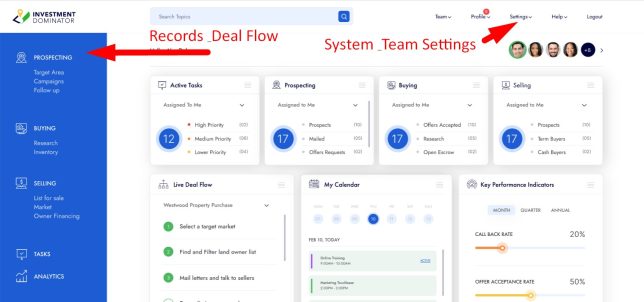
The 2.0 version offers a sleek, modern design with enhanced usability. Navigation is now split into a top pane for system and team settings and a left pane for records and deal flow:
Research Deals vs. Property IQ Wizard
The AI driven Property IQ wizard in the 2.0 replaces the Research Deals wizard.
Due Diligence Wizard vs. AI Copilot
The AI Copilot in the 2.0 can help you conduct more detailed due dilligence on properties in your system vs the Due Diligence wizard in the Legacy version.
Customize vs. Settings
The legacy “Customize” section is now called “Settings” in 2.0 and is organized into concise, tabbed sections for easier access to system configurations and customizations that fit your business.
Unified Property Management
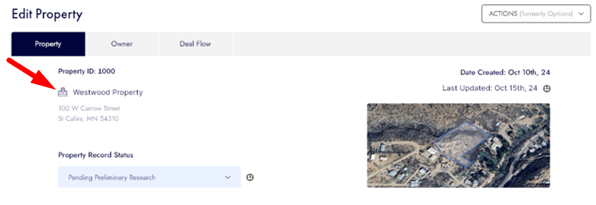
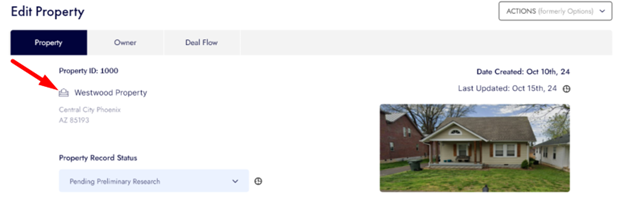
The “Land” and “Houses” sections are combined into a “Property” section, organized by stage now vs. by type. Icons and thumbnails indicate property types.
Land records look like this:
And House or properties with structures on them look like this:
New Prospects Area
Seller leads (“Prospects”) are now under the “Target Area” section.
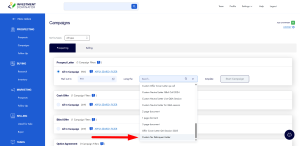
Campaign Accessibility
Campaigns can be found in the “Prospects” area.
Offer Requests
Offer requests are located in the “Follow Up” section.
Purchasing Properties
Properties you’re buying are under the “Research” section.
Consolidated Reports
All reports are now in a unified “Analytics” area.
Selling Stages
Selling stages are organized under “Selling,” “Inventory,” “List For Sale,” and “Market.”
Owner Financing Notes
“Notes” are now under “Owner Financing” in the 2.0
Terminology Change
“Record Notes” are now referred to as “Comments” in the 2.0
Your Websites
Access to your ‘Buying’ and ‘Selling’ websites are no longer under a ‘Websites‘ tab but can now be found under ‘Settings> Websites‘ in the new interface.
Frequently Asked Questions (FAQ)
Is Investment Dominator Legacy being discontinued?
No. Legacy and 2.0 currently coexist. Legacy remains available while 2.0 continues to be improved and expanded.
Do I have to move all my work to 2.0 right away?
No. You can continue using Legacy for existing workflows and adopt 2.0 gradually at your own pace.
Is it possible to create new campaigns in the Legacy version?
No. Creating custom campaigns is a feature only available in Investment Dominator 2.0. We encourage you to explore this functionality in 2.0, as it offers more flexibility and control. You can learn more HERE
Will my data still be available in both versions?
Yes. Your core records, properties, and owners are shared across both versions. Some newer features and workflows are exclusive to 2.0.
Why do some features exist only in 2.0?
Investment Dominator 2.0 is the actively developed platform. New features, improvements, and automation are being built there first.
Can I run campaigns in Legacy if I already created them before?
Yes. Existing Legacy campaigns can still be managed, but new custom campaign creation is handled in 2.0.
Where should I start if I’m new to 2.0?
Start with basic tasks like reviewing records, prospecting, and exploring campaign creation. Then expand into advanced features as needed.
We hope you are as excited as we are about these changes!