
The Offer Calculator helps you quickly evaluate a property and set your offer amount and option amount based on its market value, back taxes, and your deal strategy. It provides suggested numbers, but you can adjust everything manually.
Follow the steps below to use it.
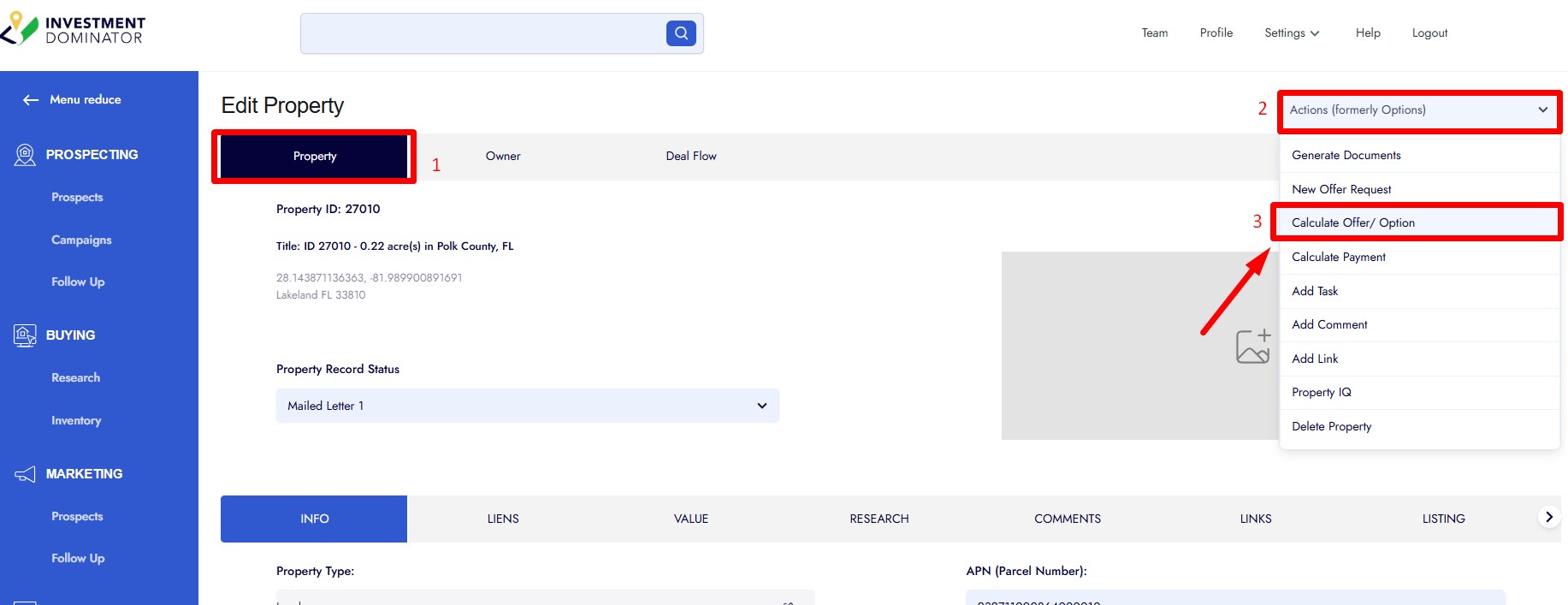
1. Open the Property Record
• Go to Prospecting.
• Select the record you want to work with by clicking the Owner Name.
2. Launch the Offer Calculator
• Make sure you are on the Property tab inside the record.
• Click Actions in the top right.
• Select Calculate Offer Option.
3. Review the Calculator Fields
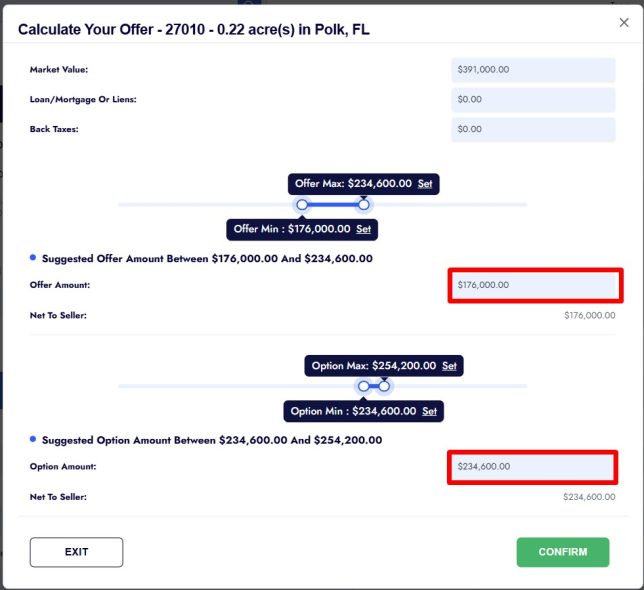
The calculator displays several key values:
• Market Value
• Back Taxes
• Max Offer and Min Offer
• Suggested Offer Amount
• Suggested Option Amount
These suggestions are based on the market value currently stored in the record.
4. Enter or Adjust Your Numbers
You can manually update:
• Market Value
• Offer Amount
• Option Amount
The system will update its suggestions based on what you enter.
5. Confirm and Save
• Once your numbers are set, click Confirm.
• You will see a green confirmation message.
• Click Save to store the updated values in the property record.
Your offer details are now ready to use for documents, workflow, and follow-up.