
When a property owner calls your business after receiving one of your Neutral Letters, you’ll use the New Offer Request workflow inside Investment Dominator 2.0 to verify their information, collect property details, and move the record into your research pipeline.
This guide walks you step-by-step through that process.
1. Access the New Offer Request Tool
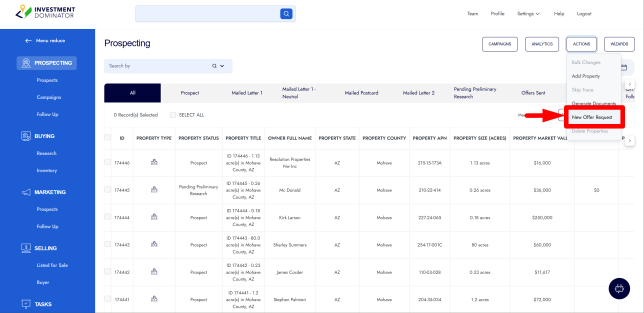
- From the main menu, go to Prospecting.
- Click Actions > New Offer Request.
This opens the lookup screen where you can locate the caller’s record.
2. Locate the Property Record
Ask the caller for the Reference Number printed at the bottom-right of their Neutral Letter or printed on the envelope.
A. If They Provide the Reference Number
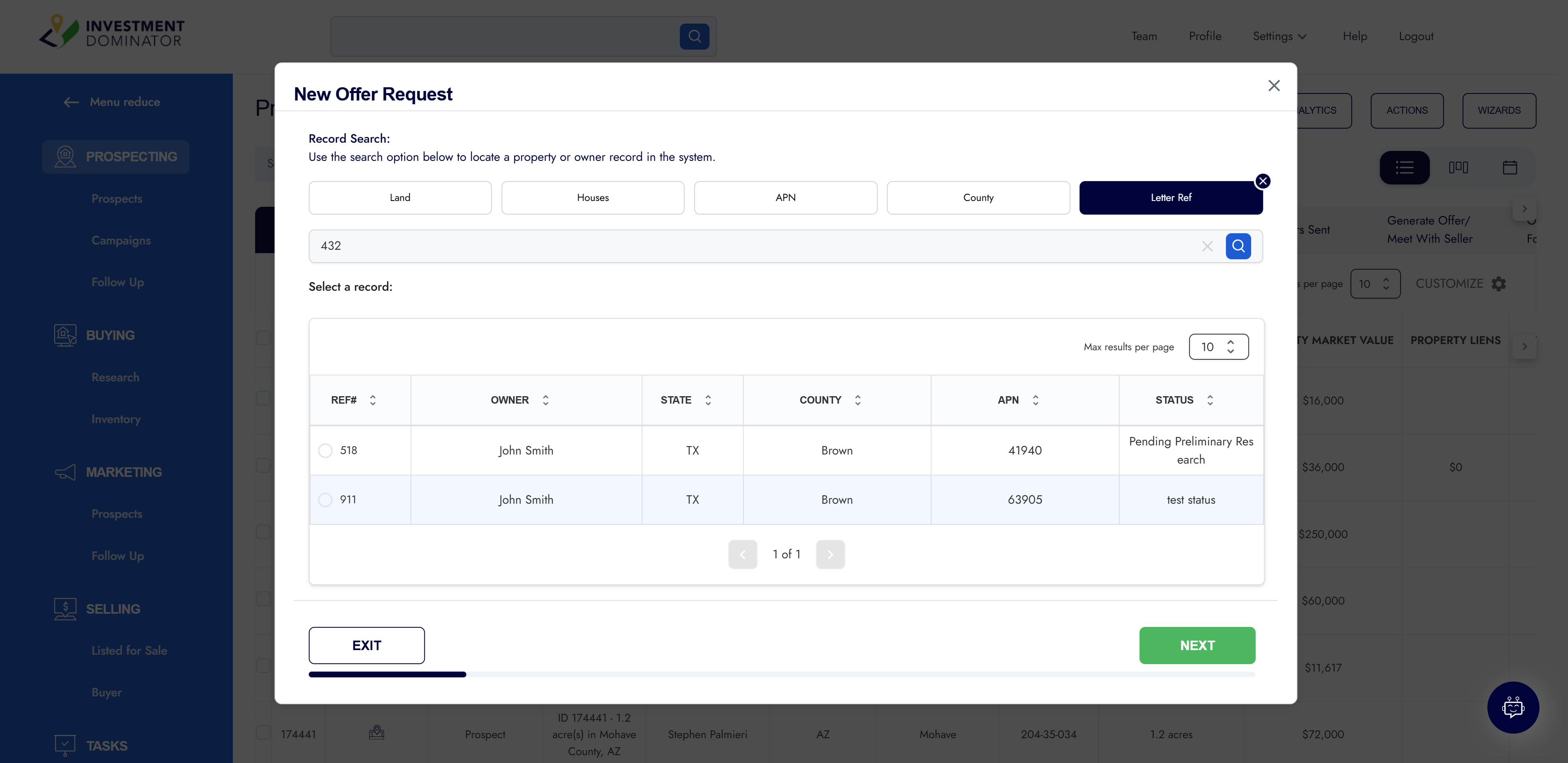
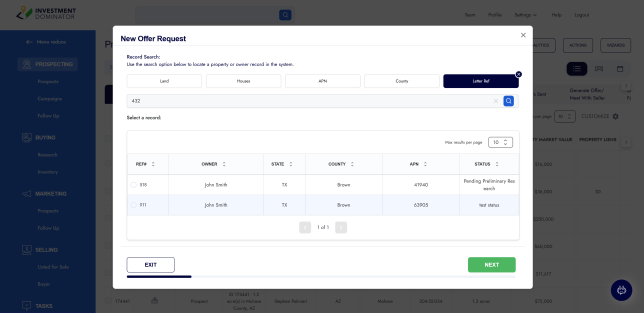
- Click Letter Reference in the lookup form.
- Enter the reference number (example: 432).
- Select the matching record.
B. If They Do NOT Have the Reference Number
Search by:
- Owner Name
- APN
- Property Location
Select the correct record to proceed.
3. Verify Owner Contact Information
After selecting the record, the system loads the owner and property details.
Confirm the following with the caller:
- First & Last Name
- Ownership Type
- Individual or Company (enter company name if applicable)
- Mailing Address
- Best Contact Phone Number
- Email Address
Update any incorrect information, then click Next.
4. Verify Property Information
Go through each property detail to ensure accuracy:
- APN
- Property Address (if any)
- County
- Acreage / Parcel Size
- HOA/POA?
- Owned Free & Clear?
Improvements & Utilities
Ask the seller if the property has:
- Septic
- Well
- Electricity or electricity nearby
- Fencing
- Cabin / Shed
- Mobile Home
- RV Hookups
- Any additional improvements
Also confirm road access.
Click Next to continue.
5. Ownership Duration & Expected Price
Ask the seller:
How long have you owned the property?
Enter the number of years.
If we pay cash, what’s the least you would take for the property?
Record their expected price (example: $30,000).
Note: This does not determine your offer; research is still required.
Is the property currently listed with a realtor?
Select Yes or No.
Additional Comments
Enter any extra information the seller shares that doesn’t fit in other fields.
6. Provide the Closing Statement to the Seller
Read or paraphrase the final confirmation message:
“At this point, we need to complete detailed research on your property. Once finalized, we will mail you a no-obligation written offer within 7–10 business days. Thank you for your call— you’ll hear from us soon.”
(You may adjust the timeframe based on your internal processes.)
Click Next.
7. Move the Record Into Deal Flow
At the end of the request form, the system asks whether you want to move the record into Deal Flow.
If this lead came from your Neutral Letter campaign, select:
- Pending Preliminary Research
This signals your next step:
Research comparable properties, use Property IQ, and determine a fair market value for your written offer.
Click Finish to complete the New Offer Request workflow.
You Have Successfully Processed a New Offer Request
The property record is now updated and moved into Pending Preliminary Research.
Your next step is to evaluate the property so you can generate and mail the official written offer.