
Follow these quick steps to update any custom template in your account.
1. Open Your Templates
- From the homepage, hover over Settings.
- Click Templates.
- You’ll see a list of all your custom documents.
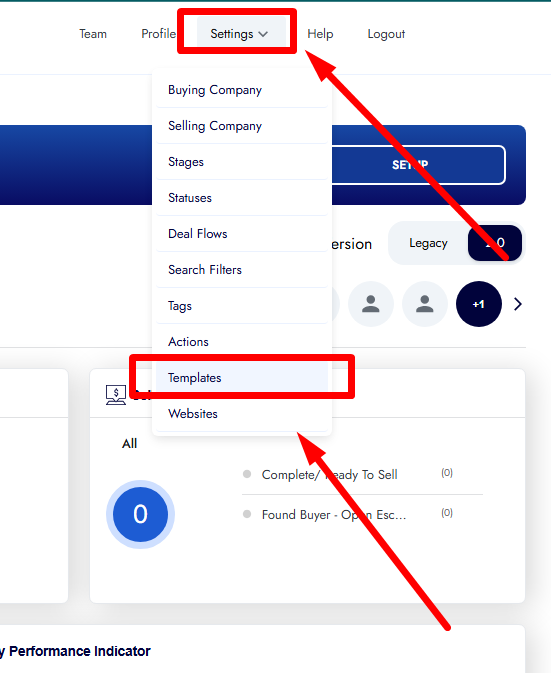
2. Select the Template
- Find the document you want to edit.
- Click directly on the template row or field to open it.
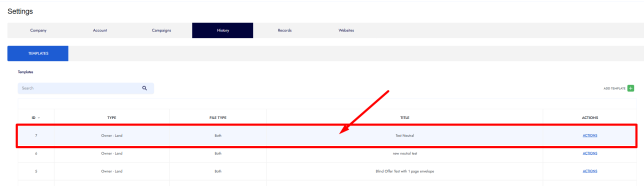
3. Edit Template Settings
Inside the editor, you can update:
- Title
- Applies To (Land, House, or Both)
- File Type (PDF, DOC, or Both)
4. Edit the Content
- Update the text of the letter in the content box.
- Adjust wording, formatting, or merge fields as needed.
5. Adjust Optional Settings
You can also update:
- Allow Generate Envelope Label
- Envelope Label Type (Standard or Large)
6. Confirm
Click ‘Confirm’ to update the template.