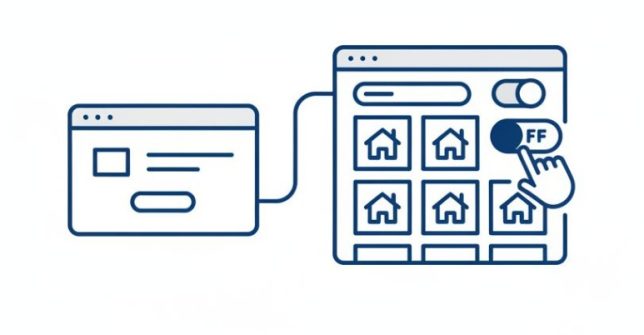
An optin page helps you quickly build a list of prospective buyers by restricting access to your listings only to those who subscribe with their email address. This strategy is ideal for new startup businesses to start marketing and growing their buyers list before having properties to sell. However, as your marketing strategy matures, you may want to use dedicated landing pages tailored to different market types and disable the built-in optin page to direct traffic straight to your listings.
STEP 1: Navigate to the Selling Website Settings
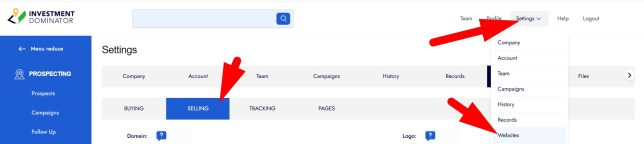
- Go to the ‘Settings‘ menu in the Investment Dominator.
- Select ‘Websites‘, then go to the ‘SELLING‘ tab:
STEP 2: Disable the Built-In Optin Page
- Scroll down until you find the ‘Optin Page‘ setting.
- Select the option to ‘Disable‘ the optin page:
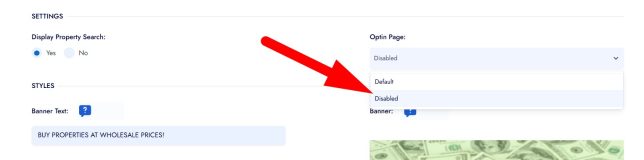
- This setting will direct all incoming traffic on your selling website directly to your listings page, allowing users to browse properties without needing to subscribe first.
Frequently Asked Questions
Why would I want to disable the built-in optin page?
Disabling the optin page allows you to create custom landing pages for different buyer market types and direct visitors straight to your property listings, which can be more effective as your marketing strategy matures.
Will disabling the optin page affect my buyers list?
Yes, disabling the optin page means visitors are no longer required to subscribe before viewing listings, so fewer visitors may be added to your buyers list through this method.
Can I create multiple custom optin landing pages for different buyer types?
Yes, once the built-in optin page is disabled, you can create and use dedicated landing pages targeting different markets, such as builders or recreational buyers, and link traffic directly to those pages or listings.